
You can create relationships between items and any record type (except for News & Updates) through the Relationships tab of that record.
For more relationship features, see the Relationship Mapping tool in Administration, the Relationship Editor form type, or the relationship builder tool on custom forms.
To add a relationship from the Relationships tab of a record:
- Navigate to the applicable organization and open the record.
- Click the Relationships tab.
- Select a relationship type from the dropdown menu in the Relationships column. Relationship types are configured in the Referential Data settings.
- Click the textbox on the left of the top row and enter keywords to search for and select an object or click the
 icon to the right of the text field to display the Association Tree, then select an object.
 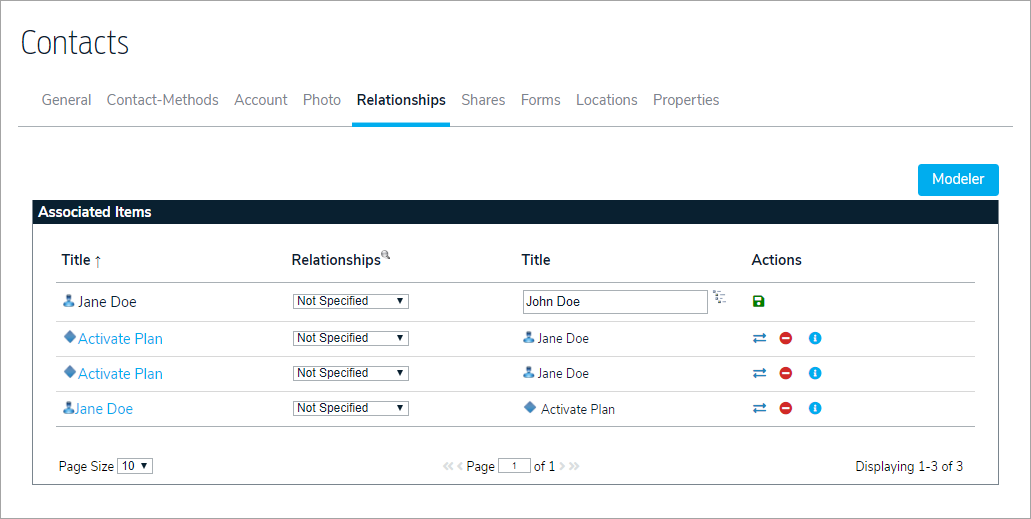 A new relationship in the relationships tab of an object.
- Click the
 icon to save the relationship.
 - Click the
 icons to swap the objects in the relationship, delete the relationship, or view more information.
 icon to the right of the text field to display the Association Tree, then select an object.
 icon to save the relationship.
 icons to swap the objects in the relationship, delete the relationship, or view more information.